
一、前言
- 小程序web-view访问一个非uniapp制作的h5页面的相互通信,这个我在之前的文章中已经写得很清楚了,也没有太多的坑,具体可查看:uniapp中使用web-view相互通信
- 小程序中web-view加载uni-app H5其实思路是一样的,只不过这里有一些坑,而且我在社区去搜相关问题,确实有好些人提问,但是下面回答的也不太靠谱,于是我在这里综合起来总结下:
二、解决方案
【坑1】怎么在uniapp H5中嵌入uni sdk?
- 根据官方提供的,h5配置中有个index.html模板路径,默认为空,可定制生成的html代码,自定义meta、引入外部js等,参考
- 在项目根目录建立一个template.h5.html(仿照hello-uni-app项目),然后在h5配置中填入template.h5.html
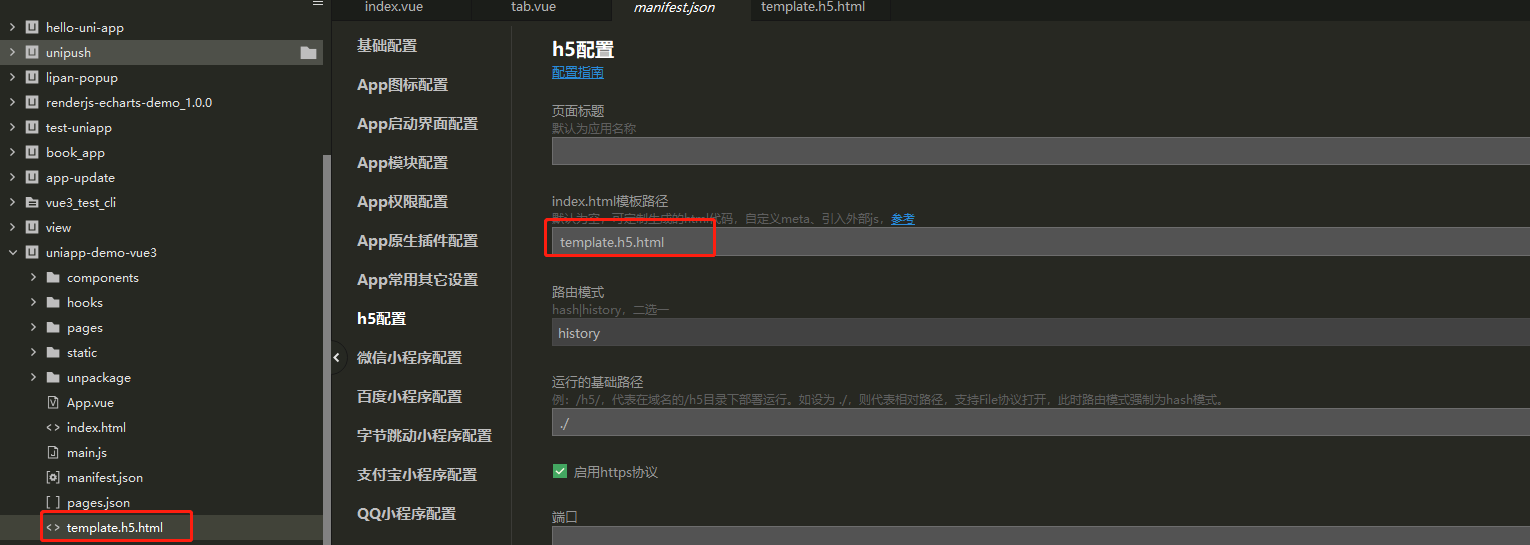
- template.h5.html中的代码可以直接先复制官方提供的h5-template自定义模板的代码,或者下面的代码
- 然后将uni-sdk等第三方引入到html中,注意这里就有个小坑: uni sdk放到body下面!下面!下面! 这里不注意的话,可能会根据我们的习惯放到body里面。
template.h5.html:
<%= htmlWebpackPlugin.options.title %>

- 1
- 2
- 3
- 4
- 5
- 6
- 7
- 8
- 9
- 10
- 11
- 12
- 13
- 14
- 15
- 16
- 17
- 18
- 19
- 20
- 21
- 22
- 23
- 24
- 25
- 26
- 27
- 28
- 29
- 30
- 31
- 32
- 33
- 34
- 35
- 36
- 37
- 38
- 39
- 40
- 41
- 42
- 43
- 44
- 45
- 46
- 47
- 48
- 49
- 50
- 51
- 52
- 53
- 54
- 55
- 56
- 57
- 58
- 59
- 60
- 61
- 62
- 63
- 64
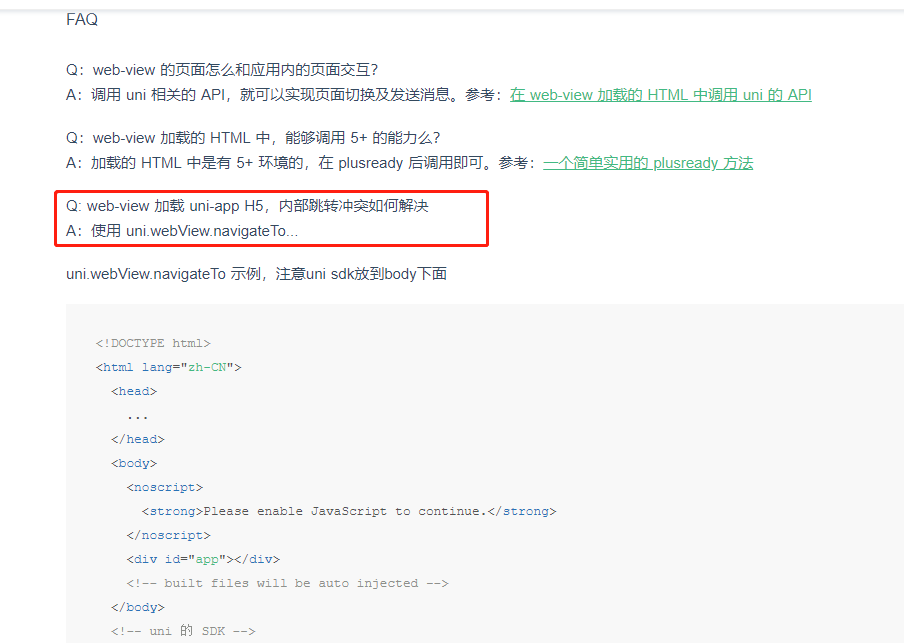
【坑2】web-view 加载 uni-app H5,内部跳转冲突如何解决?
- 该问题也是在web-view的下面的FAQ中有说明
- 使用 uni.webView.navigateTo…,这样就避免了与内部uni.navigateTo的冲突
- 注意:再次提醒下uni sdk放到body下面,否则uni.webView是找不到的
【坑3】uniappzz+VUE3中的自定义模板template.h5.html不生效?
- 根据做项目的时候发现在使用VUE3模式下,自定义模板template.h5.html不生效,而生效是默认的index.html,那么就可以直接在index.html中写:
- 注意:这里还有个坑,uni.webView应该在初始的时候就用变量保存下来,后面直接用变量,不能在document.addEventListener(‘UniAppJSBridgeReady’, function() {})中去保存,否则拿不到uni.webView
index.html:
- 1
- 2
- 3
- 4
- 5
- 6
- 7
- 8
- 9
- 10
- 11
- 12
- 13
- 14
- 15
- 16
- 17
- 18
- 19
- 20
- 21
- 22
- 23
- 24
- 25
- 26
- 27
- 28
- 29
- 30
- 31
- 32
- 33
- 34
- 35
- 36
- 37
- 38
- 39
- 40
- 41
- 42
- 43
- 44
- 45
- 46
- 47
代码中使用:
uniWebView.navigateTo({
	url:'/pages/test1/test1'
})
- 1
- 2
- 3
三、补充:h5中获取小程序或父级传递的参数
可以将此方法写到公共调用的地方,话不多说,直接上代码:
function getQuery(name) {
    let reg = new RegExp("(^|&)"+ name +"=([^&]*)(&|$)");
    let r = decodeURIComponent(window.location.search).substr(1).match(reg);
    if(r != null) {
        // 对参数值进行解码
        return decodeURIComponent(r[2]);
    }
    return null;
}
- 1
- 2
- 3
- 4
- 5
- 6
- 7
- 8
- 9
使用的时候直接调用:const id = getQuery(‘id’);
评论记录:
回复评论: